How does Meta collect data for advertising?
Facebook and Instagram show everyone different ads. We explain what data Meta relies on, what changed with the Conversions API, cookie consent and Advantage+ automation, what Meta cannot see in your messages and how to check what it knows about you. Updated for 2026.

In this article
- What data Meta uses for advertising
- Profile data and what you do on the platforms
- Activity outside Facebook and Instagram: the pixel and the Conversions API
- Location and device
- What Meta can see in Messenger and WhatsApp messages
- Cookie consent and the choices people have in the EU
- How the ad system uses data today
- What it means for businesses advertising on Meta
- How to find out what Meta knows about you
Facebook and Instagram are not just places to share photos and message friends. For Meta they are above all an advertising system that picks different ads for every person. To do that it needs data – about who you are, what you do in its apps and what you do elsewhere online. In this article we look at where that data comes from, what has changed in recent years and what it means both for users and for businesses that advertise on Meta.
What data Meta uses for advertising
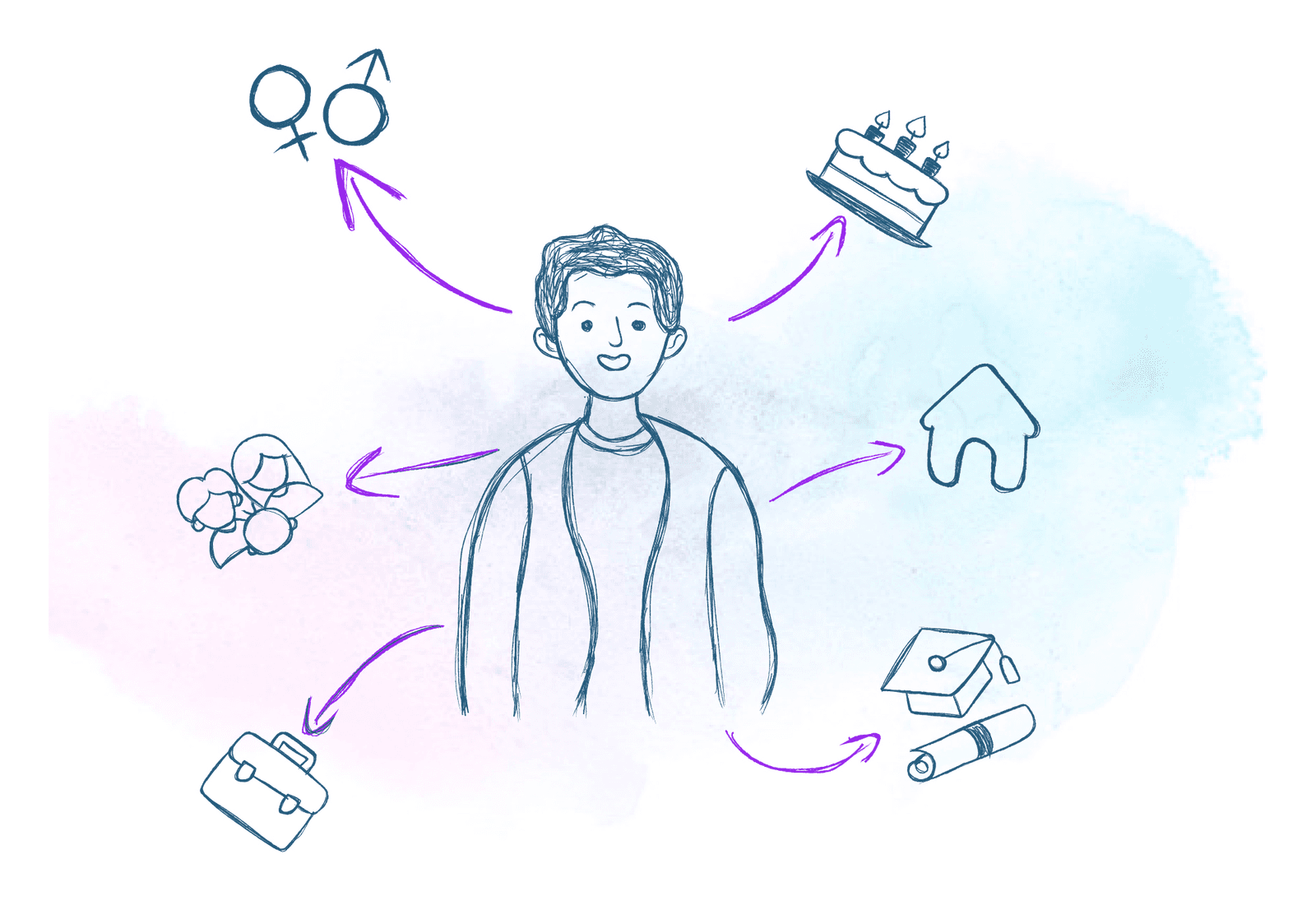
Meta combines four sources of data for advertising: what you put in your profile, what you do on Facebook, Instagram and Messenger, what other companies' websites and apps send it about your activity, and information about your device and location. From these it estimates which ads are likely to interest you and shows those first.
Advertisers never receive a list of specific people. They set a campaign goal and, optionally, an audience, and Meta shows the ad to the people it expects to respond best. The advertiser only sees aggregated statistics.
Profile data and what you do on the platforms
The foundation is your profile and your behaviour on Meta's platforms. From the profile that mainly means age, gender, where you live and language. From your behaviour: what you like, comment on and share, who you follow, which posts and videos you stop at, what you click and which ads you have already interacted with.
Meta uses this data to personalise your whole feed, not just the ads. If you regularly watch travel videos, you will probably see more travel content as well as ads for holidays, flights and accommodation.

Activity outside Facebook and Instagram: the pixel and the Conversions API
Meta also gets data from other companies' websites and apps. Businesses add the Meta pixel to their site or connect the Conversions API and send Meta events such as a product view, an add to cart or a purchase. Meta matches them to user accounts and uses them for targeting and for measuring whether an ad led to a sale.
Meta described the principle when it launched the Off-Facebook Activity tool: a clothing store reports that someone on a particular device looked at a pair of shoes, and Meta can then show that person an ad for them. The pixel sends these events from the visitor's browser.
The Conversions API does the same from the advertiser's server, e-commerce platform or CRM. It exists mainly because browser-based measurement keeps getting weaker: ad blockers, browser restrictions on cookies and declined cookie banners mean the pixel misses many events. The recommended setup sends the same event both ways with a matching ID and lets Meta remove the duplicates. Server-side tracking does not get around consent, though – the same rules apply as for the pixel.
Location and device
Meta also works with information about your device and connection: the type of phone or computer, operating system, language, IP address and, depending on your settings, location from your phone. This lets advertisers target people in a specific city or near a shop, and lets Meta connect that you saw an ad on your phone and bought on your laptop.
For local businesses and events this is useful, because the ad reaches people who can actually get to you. You can block apps from using precise GPS location in your phone settings; Meta can still estimate your approximate location from your IP address.
What Meta can see in Messenger and WhatsApp messages
Meta does not read the content of personal messages for advertising. Since December 2023, personal messages and calls on Messenger and Facebook are end-to-end encrypted by default, and according to Meta nobody, Meta included, can see their content unless you report a message. Personal messages on WhatsApp are end-to-end encrypted as well.
An earlier version of this article said Meta could use message metadata, such as how often messages are sent. Today Meta's announcement on Messenger encryption states explicitly that it cannot see the content of personal conversations. Messages you send to businesses or to the Meta AI assistant are a different case – the standard data policy applies there.
Cookie consent and the choices people have in the EU
In the EU, a website must not fire an advertising pixel without the visitor's consent. In the Czech Republic, analytics and marketing cookies have required active opt-in consent since 2022. If a visitor does not give consent in the cookie banner, neither the pixel nor the Conversions API should send data about them for ad targeting.
Meta deals with consent for its own users too. Because of the GDPR and the Digital Markets Act (DMA), people in the EU choose between a subscription with no ads and using Facebook and Instagram for free with ads. Since November 2024 they have a third option: less personalised ads, based only on what a person is viewing at the moment and a minimal set of data – age, location, gender and how they engage with ads.
For advertisers this means that part of the EU audience sees ads targeted with far less data. We cover the technical side of consent on a website in Google Tag Manager and Consent Mode.
How the ad system uses data today
A few years ago advertisers picked interests and demographics by hand. Today Meta's Advantage+ automation increasingly decides on targeting, budget and bids by itself. Data about people's behaviour and website conversions is therefore no longer just the basis for choosing an audience – it is the main fuel the system learns from.
On its engineering blog, Meta described Andromeda, a system that for each impression narrows tens of millions of ads down to a few thousand relevant candidates, from which further models choose the one you see. The more ads and variants advertisers upload thanks to automation, the more this selection step matters.
In practice, good conversion data and a variety of creatives now do more for campaign results than carefully hand-picked interests.
What it means for businesses advertising on Meta
For an advertiser, the key is clean and lawful measurement. The ad system learns from the data you send it. If data is missing or duplicated, it optimises blind. If it is sent without consent, you risk a data protection problem. That is why it pays to review the cookie banner, the pixel and the Conversions API together.
- Consent first: ad tracking fires only after consent in the cookie banner, and declining must really send nothing.
- Pixel and Conversions API together: the same events from both channels with a matching ID so Meta can deduplicate them.
- Send only what you need: identifiers such as e-mail addresses are hashed before they are sent through the Conversions API; sensitive data does not belong in events.
- Measure business results: orders and enquiries, not just clicks. That is what the automation learns from.
If you are not sure your tracking works properly, see how we handle analytics and measurement, or what Meta Ads Manager involves.
How to find out what Meta knows about you
You can check your data with Meta in three places. In Accounts Center you can download a copy of all the information Meta keeps about you. Your activity off Meta technologies shows which websites and apps have sent data about you, and lets you disconnect them. And in ad preferences you can adjust what ads you see.
- Download your information: in Accounts Center, under your information and permissions, you request a file with all your data. Depending on how much there is, it can take from a few minutes to several hours; you get a notification when it is ready.
- Your activity off Meta technologies: a summary of the websites and apps that have sent Meta data about you. You can clear the history and turn off future connections – for everything or only for selected businesses.
- Ad preferences: the topics, advertisers and settings used to select ads. Every ad also has a menu option explaining why you are seeing it.
- For people in the EU: in your ad settings you can switch at any time between personalised ads, less personalised ads and a subscription with no ads.
Turning these settings off does not make ads disappear. They just become less precisely targeted. Want Meta ads that use data lawfully and bring in orders, not just clicks? Get in touch and we will look at how your tracking is set up.