Meta Restrictions: What to Do When Meta Blocks Your Pixel or Ad Account
Meta is imposing restrictions on businesses operating in health, healthcare and closely related fields. What exactly does that mean? How do you find out whether it affects you? And can you still advertise effectively despite the restrictions?
In this article
In recent months, we've increasingly seen Meta (Facebook and Instagram) impose restrictions on businesses operating in health, healthcare and closely related fields. What exactly does that mean? How do you find out whether it affects you? And can you still advertise effectively despite the restrictions?
Who is most often affected
When it comes to health and medical topics, Meta is very cautious. Companies in these areas are more likely to have their pixel blocked or limited, ad reach reduced, campaigns rejected or even their entire ad account temporarily suspended.

This risk applies mainly to:
- online stores selling dietary supplements,
- clinics and medical facilities,
- aesthetic centers and plastic surgery,
- health and nutrition counseling services,
- but also, for example, brands focused on biohacking, recovery and fitness.
Why it happens
Meta is trying to prevent the spread of misinformation and false promises, especially in areas that can affect people's health. That's why its algorithms are set up very strictly. Whatever Meta deems risky is often subject to automated rules — and not always entirely fairly.
Restrictions can be triggered by:
- words like “cures”, “guaranteed”, “revolutionary”, etc.,
- mentions of specific health problems (e.g. back pain, diabetes, eczema),
- “before and after” photos,
- direct calls to action such as “lose weight fast”
- or simply because your domain or business category falls into a high-risk segment.
How do I know I've been restricted?
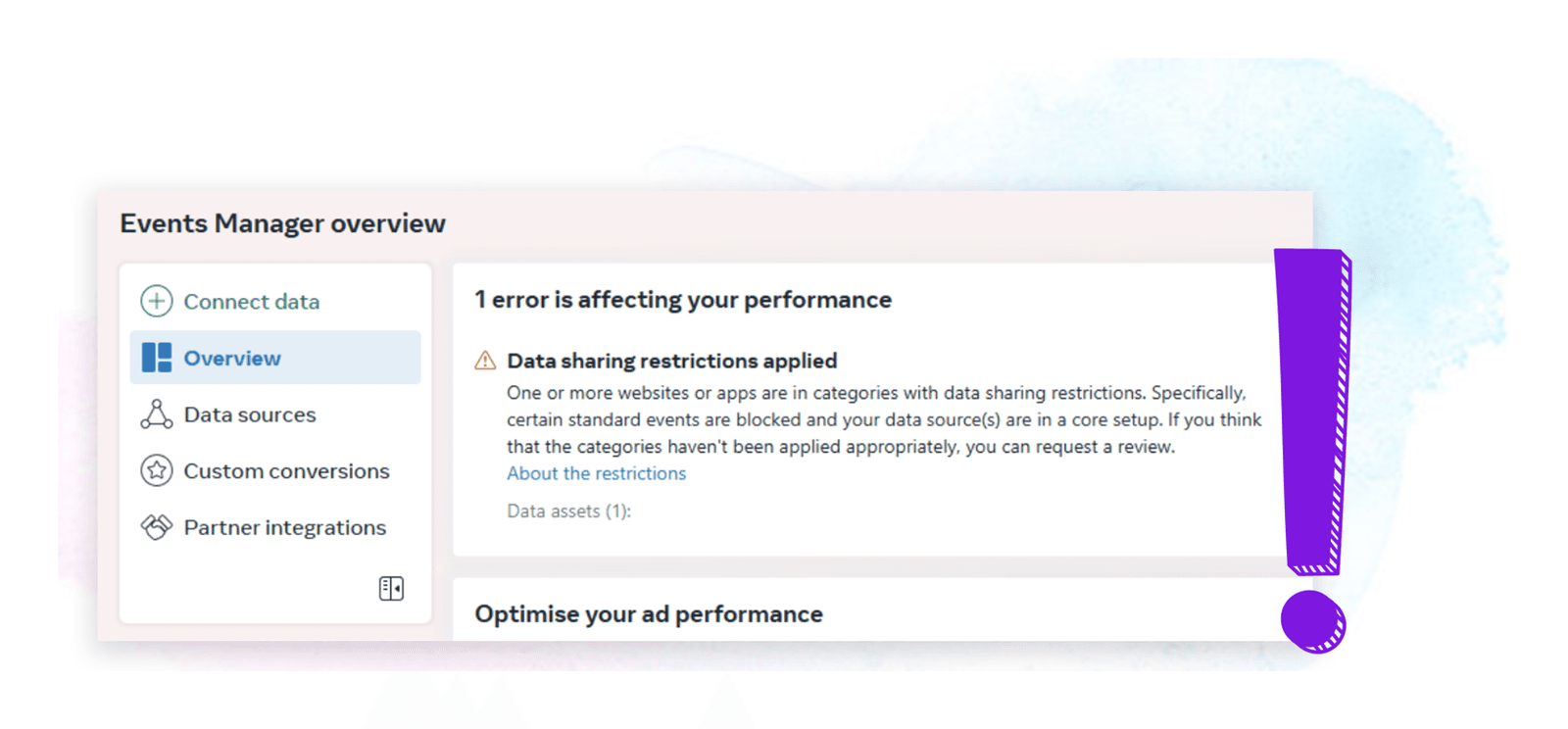
Most often you'll find out because Meta stops collecting data through the pixel, Events Manager shows a warning about “limited delivery”, remarketing campaigns stop running or the pixel switches to a “partially active” state with some conversion events no longer available.
We also recommend checking:
- Events Manager – the “Diagnostics” tab usually lists the specific reasons.
- Account Quality – you'll find it in Ads Manager.
- The notification bar in Meta Business Suite – a call to action often appears here (e.g. to verify your domain or identity).
What can I do about it?
- Try requesting a review
If you think it's a mistake, you can submit a review request through Business Manager. Meta usually responds within 24 to 72 hours. - Verify your domain and business
Add your domain to Business Manager and verify it with a DNS record. In some cases, Meta also requires business identity verification (e.g. company ID number, commercial register entry, website). - Optimize your copy and visuals
Avoid words and phrases that Meta flags as risky. Don't get too specific about health benefits. For example, replace “lowers blood pressure” with something like “supports vitality”. - Use first-party data
If you can't use the pixel, focus on collecting email addresses and phone numbers and use them for your own Custom Audiences. - Use other measurement methods
Even if your pixel is blocked, you can still use the Conversions API (CAPI), which sends conversion data directly from your server. - Diversify your channels
If Meta is blocking you, consider shifting part of your budget to Google Ads, Sklik (the ad platform of the Czech search engine Seznam) or influencer marketing. In some cases, you can use Meta only to reach new audiences and track conversions through other tools.
How to keep using Meta despite restrictions
- Focus on brand awareness and “soft” goals such as website visits or profile follows.
- Create content that educates rather than sells – educational reels, tip posts, interviews with experts.
- Test Lead Ads – even without full measurement, you can collect email addresses directly through a form on Meta.
- Use Lookalike Audiences based on your own customer lists – these usually aren't affected by restrictions.
Conclusion
Restrictions on Meta are a nuisance, but they don't mean the end of advertising. What matters is adapting, finding alternative routes and combining channels the right way. If you're dealing with this, let us know. We'll be happy to help you find a way to get the most out of Meta's tools, even under restrictions.